Handling Rejected Assets
What to do when an asset is rejected in Launchpad, and how to resolve it before it expires.
Overview
When an asset is rejected, you'll receive an email explaining why, and can resolve it directly within the existing package. You have 7 days to do this before the rejected asset is permanently deleted.
Before You Begin
When an asset is rejected, you'll receive an email containing:
- The rejection reason.
- Additional details or comments.
- A link to Launchpad.
You can also access rejected items directly via the Rejected Packages section in Launchpad.
Use the existing package to resolve rejected assets — the rejection workflow is designed to guide you through the required fixes. Creating a new package instead may result in:
- Duplicate submissions.
- Loss of review history.
- Delays in approval.
You have 7 days to resolve a rejected asset. If it isn't resolved within this time, the rejected asset is permanently deleted — at that point, the only way to deliver those files is to create a new package and upload them again.
Step-by-Step Instructions
- Open the rejected package.
- Locate the rejected asset.
- Hover over the asset and hit the Resolve icon. You'll be shown who rejected the asset, the rejection reason, and what needs to be fixed.

The action you take depends on the rejection reason shown:
| Rejection reason | What to do |
|---|---|
| Incorrect/Missing Metadata | Select Update Metadata, correct or add the required fields, then click Resolve. 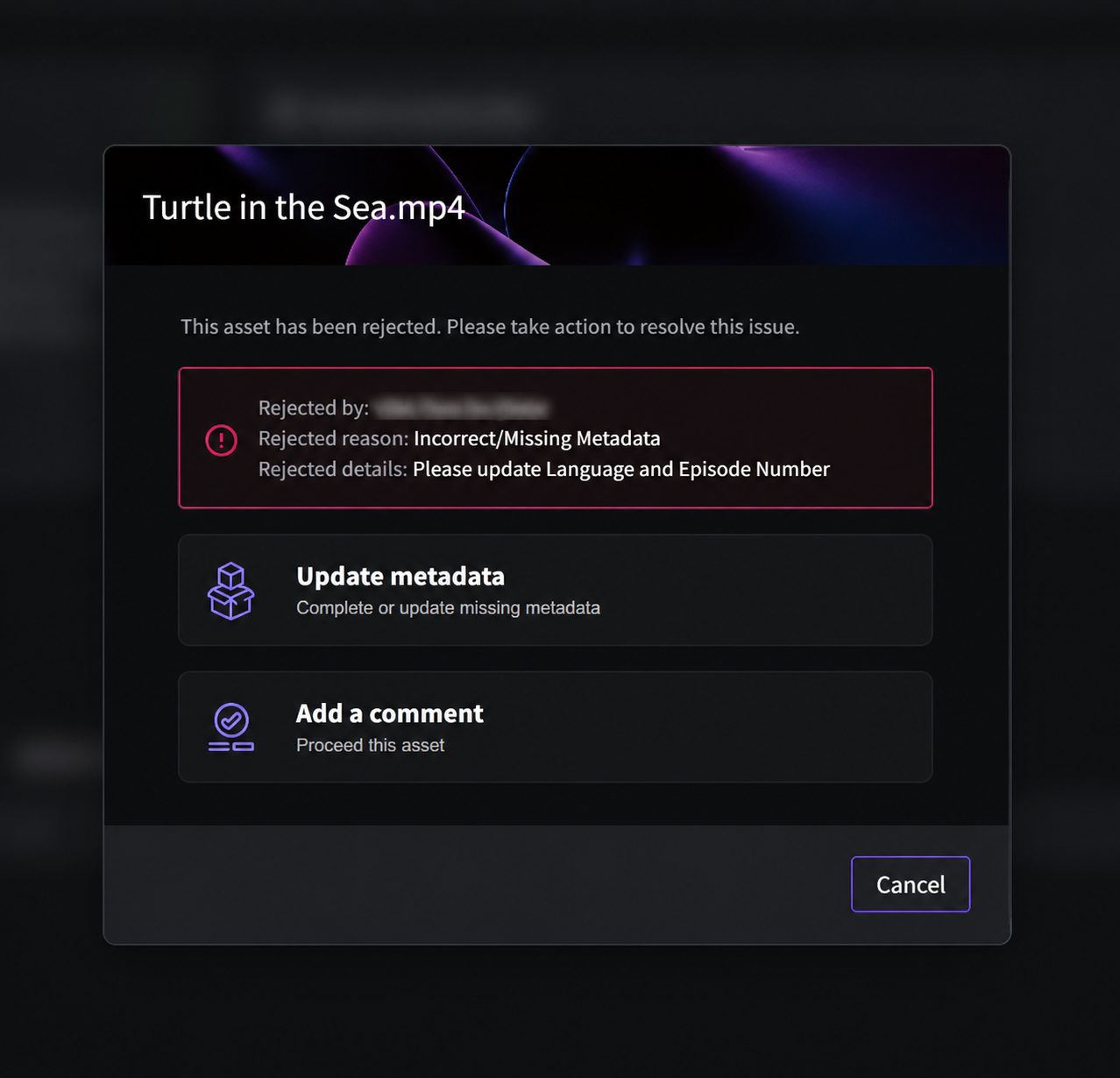 |
| Files out of Spec | Select Reupload File and upload a corrected file to swap out the existing one. The metadata stays in place. Then click Resolve. 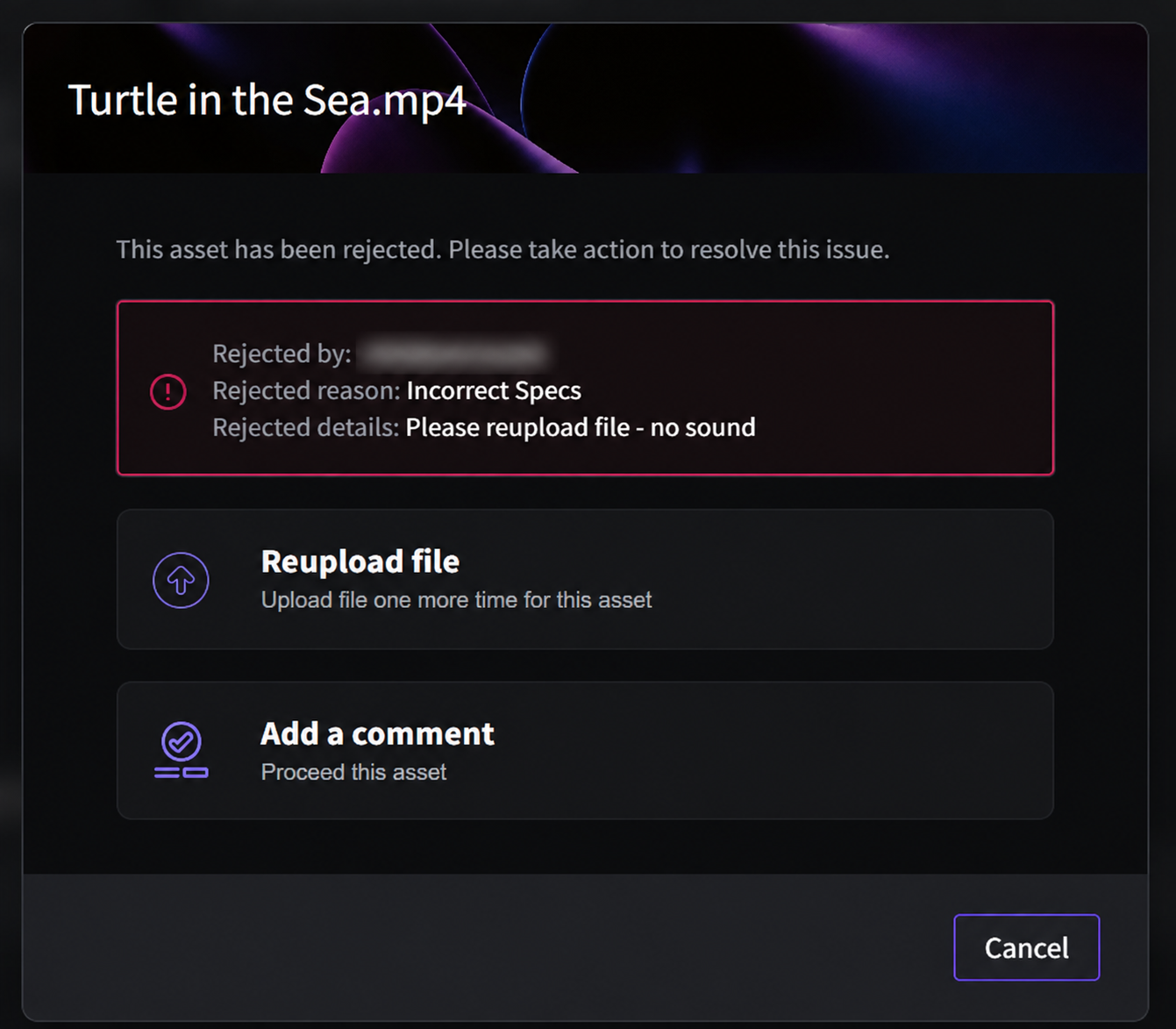 |
| Assets already in VIDA / Other | No action required. The asset will automatically expire after 7 days. |
You can also add a comment for clarification or communication. This doesn't resolve the rejection on its own — use Update Metadata or Reupload File to actually resolve it.
Once resolved, the asset is reprocessed and returns for review and approval.
Troubleshooting & FAQs
The rejected asset is permanently deleted. To deliver those files after that point, you'll need to create a new package and upload them again.
No. Comments are for clarification or communication only. Use Update Metadata or Reupload File to actually resolve the rejection.
Yes. Always follow the rejection details provided, and make sure the underlying issue is fully resolved before re-uploading.
Related Articles
Was this article helpful?
That’s Great!
Thank you for your feedback
Sorry! We couldn't be helpful
Thank you for your feedback
Feedback sent
We appreciate your effort and will try to fix the article